CURRENT STATUS
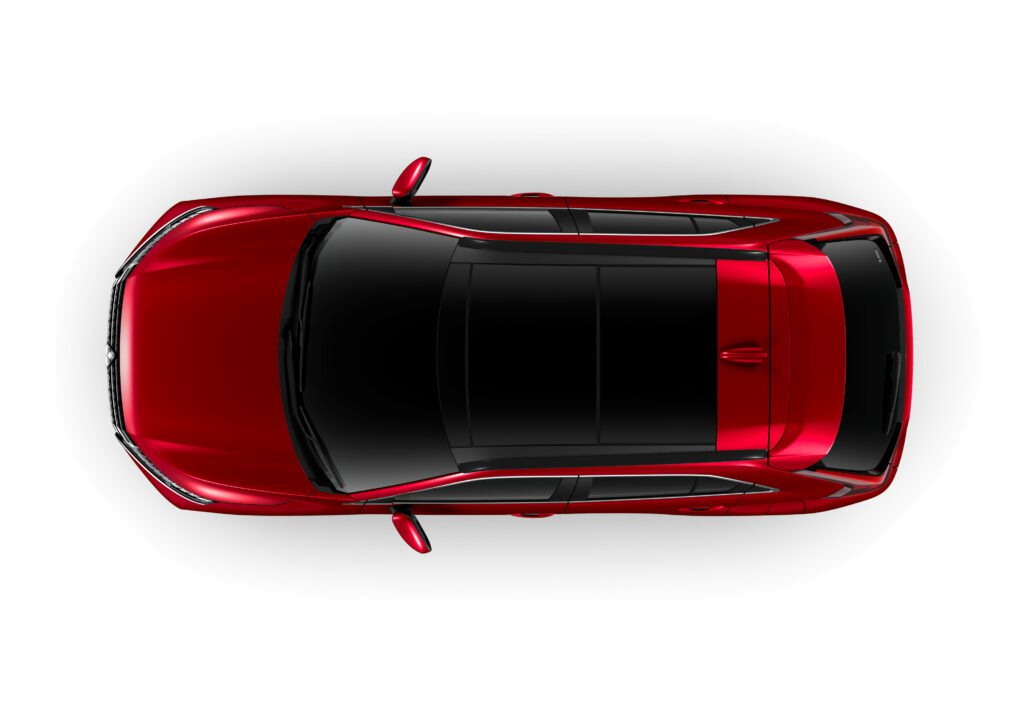 LOCKED
78%Drive battery
01Vehicle status
Available for Mitsubishi Eclipse Cross PHEV
FOR MITSUBISHI PHEV OWNERS
EV Connected links a dedicated Android phone in the vehicle to your private web dashboard. Check battery and charging status, doors and lights, review recent location and signal history, and send supported commands when the phone and vehicle connection are online.
CURRENT STATUS
LOCKED
01Vehicle status
 ACTUAL DASHBOARD
02Private web dashboard
03Location and signal history
CORE FEATURES
Every update includes the time it was received. Vehicle states are hidden after two hours without a connection.
VEHICLE STATUS
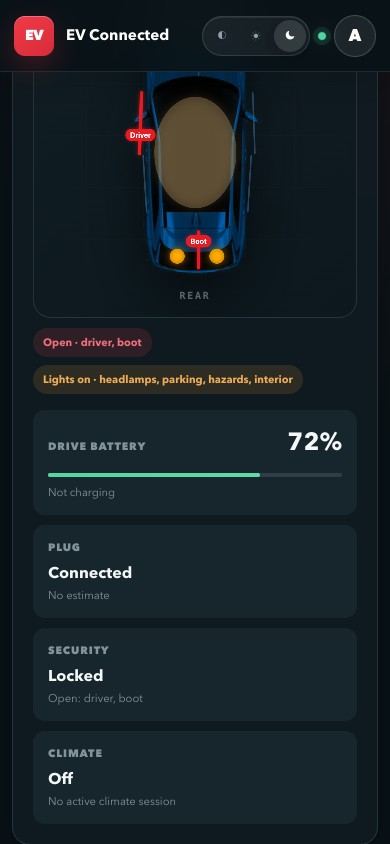
See the drive battery, charge cable, lock, doors, lights, climate state and last vehicle contact in one view.
REMOTE COMMANDS
Ask the phone to reconnect, refresh vehicle data, control climate and supported lights, or cancel the active charge timer. Each command requires confirmation.
LOCATION AND SIGNALS
The phone can report its location at most once every 10 minutes. Location appears on OpenStreetMap, and phone battery plus Wi-Fi and mobile signal readings are retained for up to 60 days.
ACCOUNT SECURITY
A one-time code pairs the Android gateway with your account. The app protects its credential with Android Keystore and verifies signed updates before installation.
PRODUCT TOUR
These screenshots show the vehicle overview, phone layout and combined signal chart. Personal account and location details are excluded.
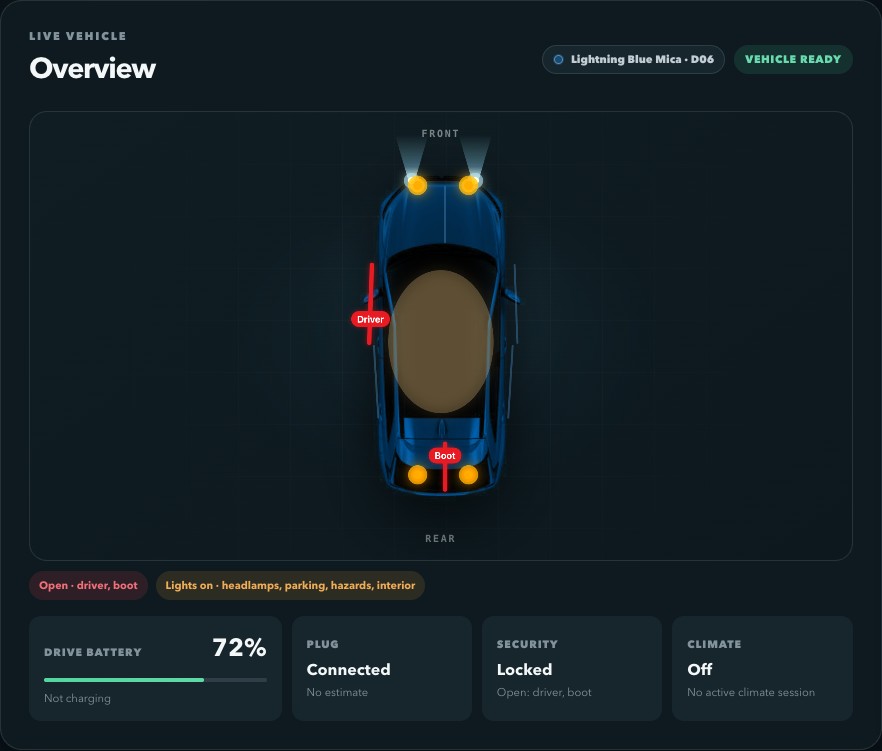
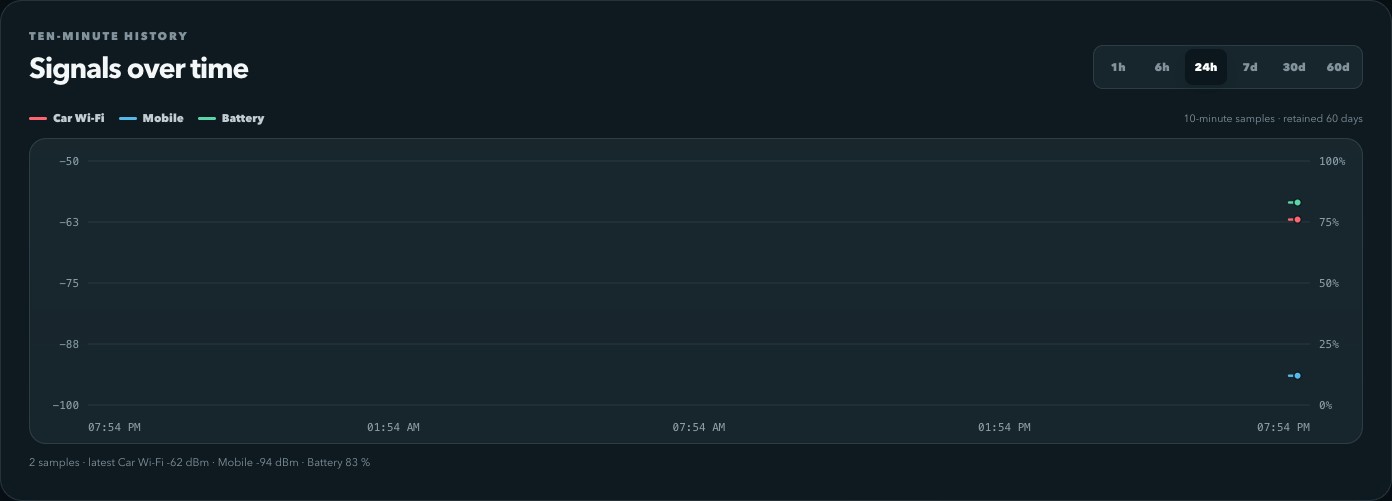
Screenshots use controlled test-vehicle data. No personal account or location details are shown.
VEHICLE SUPPORT
EV Connected currently supports the Mitsubishi Eclipse Cross PHEV remote-control system. Compatibility may vary by model year and regional specification. Outlander PHEV support is planned, and other vehicles will only be listed after their protocols have been implemented and tested. EV Connected is independent software and is not affiliated with or endorsed by Mitsubishi Motors.
PUBLIC BETA · FREE FOR NOW
EV Connected is free to use during beta. Features, availability, supported vehicles and future pricing may change. No feature, vehicle integration, release date or period of free access is guaranteed.
Development is currently focused on connection reliability, account security and accurate feedback for remote commands.
GET STARTED
Create an account, install the signed EV Connected APK on the phone kept with the vehicle, then pair it using a code that expires after 10 minutes.
ACCOUNT ACCESS
Sign in to open your vehicle dashboard.
Each account supports one paired Android gateway. Remote commands are available only while the phone and vehicle connection are online.
WELCOME TO YOUR REMOTE
Your account is ready. Connect one phone to make this private space live—no account password is ever entered into the car phone.
Create a code when the phone is ready.
Private by design
Codes are stored hashed and the permanent device token is shown only once—to the app.
REMOTE VEHICLE STATUS
Waiting for the Android gateway to report in.
Last vehicle update Never
LIVE VEHICLE
Charging state unavailable
REMOTE ACTIONS
PHONE & LINK TELEMETRY
TEN-MINUTE HISTORY
Waiting for the first 10-minute sample.
No history is available yet.
VEHICLE DETAIL
COMMAND HISTORY
No remote commands have been sent.
PRIVATE JOURNEY INTELLIGENCE
Real vehicle samples explain where energy went, when the engine joined, and how much was recovered.
Its real route, power flow and measured journey statistics will appear here.
COMPLETED TRIP
JOURNEY READOUT
TELEMETRY ON ROUTE
DRIVE TIMELINE
There are not enough samples for a timeline.
PRIVATE DIAGNOSTIC ARCHIVE
Reports are uploaded only when Save to cloud is pressed in the head-unit app. VIN responses remain redacted.
The redacted raw report and ECU response metadata will appear here.
SAVED REPORT
SHA-256 —